Best Digital Picture Frames Under $200
Every frame in this bracket shows photographs perfectly well. The difference is what happens in year two, when one of them wants a subscription and the others do not.
By Janet H. · Published
Buy the Aura Carver: a 10.1 inch 1280 x 800 panel, no subscription, unlimited storage included, and app invites so relatives push photos straight to the frame without you doing anything. That last part is what a digital frame is actually for. If the recipient is not comfortable with an app at all, the Skylight Frame 2 is the better buy - each frame has its own email address, so sending a photo is sending an email. The budget pick is the AEEZO 10.1 inch, which puts 32 GB of local storage on a touch screen for a fraction of the others.
Every frame below was under two hundred dollars when this page was published, and each button reads the live price with the date it was fetched.
Disclosure: Hang & Hue earns commission from qualifying purchases made through the links on this page, at no extra cost to you. As an Amazon Associate we earn from qualifying purchases. It does not change which products we recommend or the order they appear in — read our editorial policy and full affiliate disclosure.
How these picks were chosen
We select on published specification — rated weight capacity, frame size compatibility, mounting method and materials — plus the durability patterns owners report at volume. We do not test these products ourselves. Read our full method.
Product photographs and prices come from Amazon and are refreshed daily; the date each price was fetched is shown beside it. Scene photographs are licensed stock images. Each link opens the product’s live listing, where the current photos, sizes and price are shown.
Quick picks
Tap any row to jump to the full write-up.
| # | Product | Best for | Price |
|---|---|---|---|
| 1 | 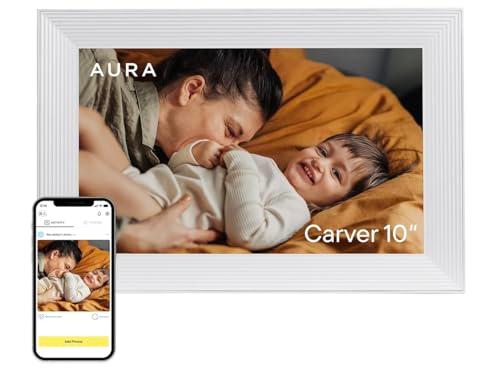 Aura Carver Digital Picture Frame For the person giving a frame to someone whose family will fill it. A 10.1 inch 1280 x 800 panel with no subscription and unlimited storage included, and app invites that let relatives push photos straight to the frame - which is the feature that gets a digital frame used rather than shelved. | Best overall under $200 | |
| 2 | 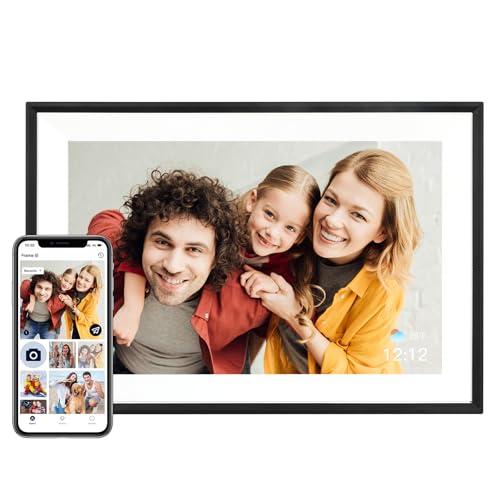 AEEZO 10.1 Inch Digital Picture Frame (32GB) For the person who wants a working digital frame for the least money. A 10.1 inch 1280 x 800 IPS touch screen with 32 GB on board and auto-rotate, sending via the AiMOR app - no cloud service and therefore nothing to subscribe to. | Best budget pick | $59.99 · View on Amazon #ad How we’re funded · Price as of November 24, 2026 |
| 3 | 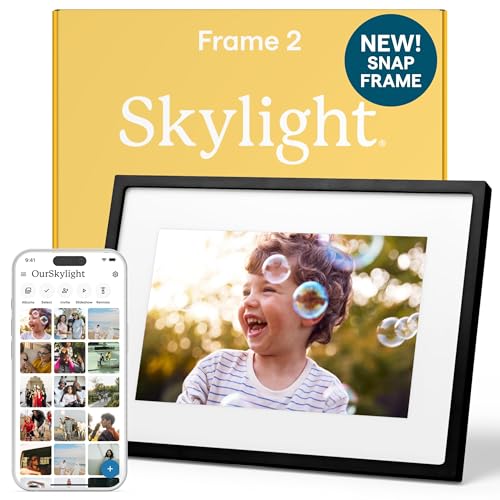 Skylight Frame 2 Digital Picture Frame For a grandparent, or anyone who will not be installing anything. Each frame gets its own email address, so sending a photograph is sending an email from any device - and the 1920 x 1080 anti-glare panel is the best screen here for a bright room. | Best for a non-technical recipient | |
| 4 | 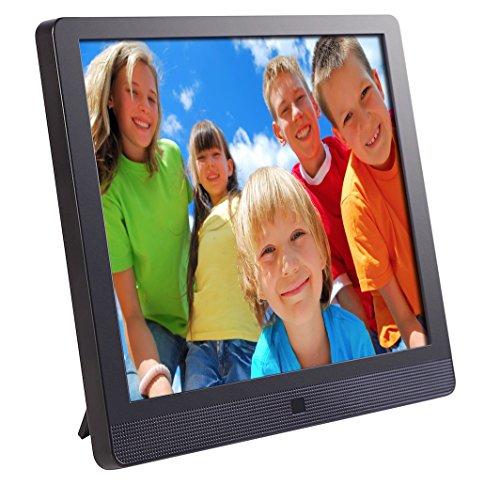 Pix-Star 10 Digital Photo Frame For the person buying frames for both sets of grandparents. No subscription, email sending, web album import from cloud services, and one account controls several frames - so you update all of them from one place. | Best for several frames at once | $193.79 · View on Amazon #ad How we’re funded · Price as of November 24, 2026 |
| 5 | 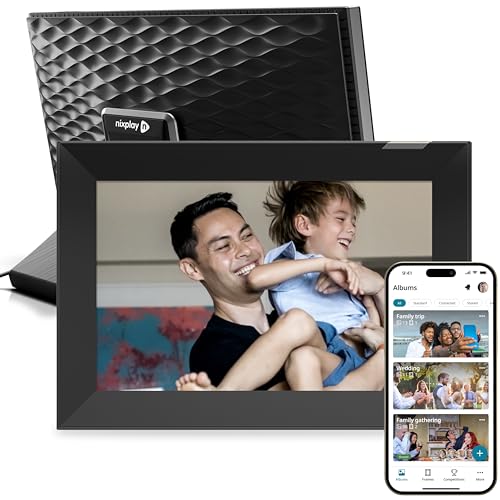 Nixplay Touch-Screen Digital Photo Frame For the person who wants more than a slideshow. Plays short clips with sound, supports playlist scheduling so different photos appear at different times, and takes photos by both app and email rather than forcing one route. | Best for video and scheduling | $159.99 · View on Amazon #ad How we’re funded · Price as of November 24, 2026 |
| 6 | 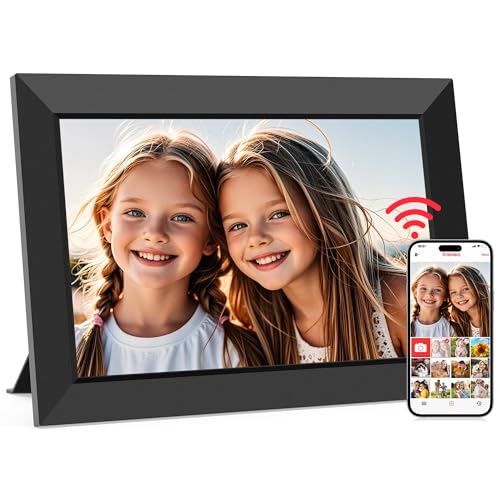 Frameo 10.1 Inch WiFi Digital Picture Frame (32GB) For the household that wants one frame, one app and no service. 10.1 inch HD IPS touch with 32 GB, taking photos and video from a phone through the Frameo app, and it sits on a table or hangs on a wall. | Best simple app frame |
The subscription is the real price
A digital frame is one of the few picture products with an ongoing cost, and the listing price tells you almost nothing about it. Three models exist in this bracket.
- No subscription, storage included. Aura and Pix-Star both publish this. You pay once and the frame works forever. This is the model to prefer unless something else outweighs it.
- Optional paid plan. Skylight’s plan adds remote settings and video. The frame works without it, so the plan is a genuine upgrade rather than a gate - but check what you lose by declining, because the answer changes over time.
- Local storage, no cloud at all. The AEEZO and Frameo frames carry 32 GB on board and send photos from a phone app. Nothing to subscribe to because there is no service - which is also why there is no remote management.
The frames, compared
Published specifications. The sending column is the one to read first, and the subscription column second - the screens in this bracket are close enough that resolution rarely decides it.
| Frame | Display | How photos arrive | Subscription | Check price |
|---|---|---|---|---|
| Aura Carver | 10.1 in, 1280 x 800 | App invites - senders push straight to the frame; plays short video | None; unlimited storage included | |
| Skylight Frame 2 | 1920 x 1080 anti-glare | Each frame has its own email address - no app needed to send | Optional paid plan for remote settings and video | |
| Pix-Star 10 | 10 in class | Email, plus web album import from cloud services | None | $193.79 · View on Amazon #ad How we’re funded · Price as of November 24, 2026 |
| Nixplay touch-screen frame | 1280 x 800, 16:10 | App and email; playlist scheduling; plays clips with sound | App-based | $159.99 · View on Amazon #ad How we’re funded · Price as of November 24, 2026 |
| Frameo 10.1 in | 10.1 in, 1280 x 800 HD IPS touch | Frameo app - photos and video from a phone | None; 32 GB local | |
| AEEZO 10.1 in | 10.1 in, 1280 x 800 IPS touch | AiMOR app; auto-rotate | None; 32 GB local | $59.99 · View on Amazon #ad How we’re funded · Price as of November 24, 2026 |
What actually matters at this price
Four specifications are worth comparing, and two commonly quoted ones are not.
- Aspect ratio, more than resolution. Phone photos are 4:3 or taller; most frames are 16:10. A portrait photograph on a landscape frame is either letterboxed or cropped, and how gracefully a frame handles that matters more day to day than the pixel count. Frames that pair two portrait images side by side handle it best.
- Anti-glare finish. A digital frame lives on a sideboard facing a window, which is the worst possible place for a glossy panel. Skylight publishes an anti-glare panel, and it is a real advantage in a bright room.
- Auto-brightness. A frame at full brightness in a dark room is a lamp. Not every frame in this bracket dims itself, and the ones that do not get unplugged at night and then forgotten.
- How many people can send. A frame that accepts photos from one phone is a photo album. A frame that accepts them from twelve relatives is a different object entirely, and it is the reason these make good gifts.
When a digital frame is the wrong purchase
Two cases, stated plainly, because a digital frame is often bought for a job it does badly.
It is not wall art. A 10 inch screen on a wall reads as a tablet someone forgot, and it needs power - which means a cable down the wall. Digital frames belong on a surface. If the wall is the brief, a gallery wall frame set does the job for less, and affordable framed art covers the ready-made route.
It is not a keepsake. A printed photograph in a frame survives the company going out of business, the app being discontinued and the Wi-Fi password changing. For the one photograph that matters most, print it - a matted frame costs a tenth of the cheapest frame on this page and will still be working in thirty years.
Where a digital frame genuinely wins is volume and distance: hundreds of photographs, sent by people who do not live with you, arriving without anyone having to print anything. Best digital picture frames is the wider roundup, and Aura frame alternatives compares the category against the best-known name in it.
The picks in full
Each entry states what it is for, the specification that decides it, and who should skip it.
1. Best overall under $200
Aura Carver Digital Picture Frame
Aura
For the person giving a frame to someone whose family will fill it. A 10.1 inch 1280 x 800 panel with no subscription and unlimited storage included, and app invites that let relatives push photos straight to the frame - which is the feature that gets a digital frame used rather than shelved.
- Display
- 10.1 in, 1280 x 800
- Subscription
- None — unlimited storage included
- Sharing
- App invites; senders push photos straight to the frame
- Video
- Plays short video clips
The spec that decides it: 10.1 in, 1280 x 800; no subscription, unlimited storage included; app invites so senders push photos to the frame; plays short video clips.
Skip it if: Nobody in the family will install an app. Then an email-based frame is the better fit.
2. Best budget pick
AEEZO 10.1 Inch Digital Picture Frame (32GB)
AEEZO
For the person who wants a working digital frame for the least money. A 10.1 inch 1280 x 800 IPS touch screen with 32 GB on board and auto-rotate, sending via the AiMOR app - no cloud service and therefore nothing to subscribe to.
- Screen
- 10.1 in, 1280x800 IPS touch
- Storage
- 32 GB built in
- Sending
- AiMOR app
- Features
- Auto-rotate
The spec that decides it: 10.1 in, 1280 x 800 IPS touch; 32 GB built in; AiMOR app sending; auto-rotate.
Skip it if: You want remote management from your own phone - local storage means local control.
#ad How we’re funded · Price as of November 24, 2026
3. Best for a non-technical recipient
Skylight Frame 2 Digital Picture Frame
Skylight
For a grandparent, or anyone who will not be installing anything. Each frame gets its own email address, so sending a photograph is sending an email from any device - and the 1920 x 1080 anti-glare panel is the best screen here for a bright room.
- Display
- 1920 x 1080 anti-glare panel
- Storage
- 16 GB on board
- Sharing
- Email address per frame — no app needed to send
- Subscription
- Optional paid plan for remote settings and video
The spec that decides it: 1920 x 1080 anti-glare panel; 16 GB on board; email address per frame, no app needed to send; optional paid plan for remote settings and video.
Skip it if: You object to any paid plan existing. The frame works without it, but video and remote settings sit behind it.
4. Best for several frames at once
Pix-Star 10 Digital Photo Frame
Pix-Star
For the person buying frames for both sets of grandparents. No subscription, email sending, web album import from cloud services, and one account controls several frames - so you update all of them from one place.
- Display
- 10 in class
- Sharing
- Email and web album import from cloud services
- Subscription
- None
- Multi-frame
- Controls several frames from one account
The spec that decides it: 10 in class; email and web album import from cloud services; no subscription; controls several frames from one account.
Skip it if: You want the sharpest panel here - the resolution is modest for the price.
#ad How we’re funded · Price as of November 24, 2026
5. Best for video and scheduling
Nixplay Touch-Screen Digital Photo Frame
Nixplay
For the person who wants more than a slideshow. Plays short clips with sound, supports playlist scheduling so different photos appear at different times, and takes photos by both app and email rather than forcing one route.
- Display
- 1280 x 800, 16:10
- Video
- Plays short clips with sound
- Sharing
- App and email; playlist scheduling
- Control
- Touch screen plus app
The spec that decides it: 1280 x 800, 16:10; plays short clips with sound; app and email sending with playlist scheduling; touch screen plus app control.
Skip it if: You want a one-off purchase with no account at all - this one is app-centred.
#ad How we’re funded · Price as of November 24, 2026
6. Best simple app frame
Frameo 10.1 Inch WiFi Digital Picture Frame (32GB)
Frameo
For the household that wants one frame, one app and no service. 10.1 inch HD IPS touch with 32 GB, taking photos and video from a phone through the Frameo app, and it sits on a table or hangs on a wall.
- Screen
- 10.1 in, 1280x800 HD IPS touch
- Storage
- 32 GB
- Sending
- Frameo app, photos and video from a phone
- Placement
- Tabletop or wall
The spec that decides it: 10.1 in, 1280 x 800 HD IPS touch; 32 GB; Frameo app for photos and video from a phone; tabletop or wall.
Skip it if: Senders are spread across many households - app-only sending is more friction than email.
Common questions
Do digital picture frames need a subscription?
Some do and some do not, and it is the single most important thing to check. Aura and Pix-Star publish no subscription with storage included. Skylight has an optional paid plan for remote settings and video, with the frame working without it. Frames with local storage only, such as the AEEZO and Frameo, have no service to subscribe to at all.
What is the best digital picture frame under $200?
The Aura Carver for most people: a 10.1 inch 1280 x 800 panel, no subscription, unlimited storage included, and app invites that let relatives send photos directly. If the recipient will not use an app, the Skylight Frame 2's per-frame email address is the better route.
How do other people send photos to a digital frame?
Three ways, and frames differ. App invites, where senders install the maker's app and push photos to your frame. A dedicated email address per frame, where sending a photo is just sending an email. Or a phone app that only the owner uses, which suits a single household but not a scattered family.
Does screen resolution matter on a digital frame?
Less than aspect ratio. Most frames in this bracket are 16:10 while phone photos are 4:3 or taller, so how a frame handles a portrait image - letterbox, crop, or pair two side by side - affects the result more than the pixel count does. An anti-glare finish matters more again if the frame faces a window.
Can you hang a digital picture frame on a wall?
Some are listed for it, but it rarely looks good. A 10 inch screen on a wall reads as a mislaid tablet, and it needs mains power, which means a visible cable. Digital frames belong on a sideboard or a shelf; for a wall, a conventional frame set costs less and looks better.
Is a digital frame better than printed photos?
For volume and distance, yes - hundreds of photographs sent by people who do not live with you, with nothing to print. For permanence, no. A printed photograph in a frame outlasts the app, the Wi-Fi password and the company. Most households want both, and for different photographs.
Sources for the figures on this page
Read next
- Best Digital Picture Frames
Resolution, sharing method and subscription model compared — the three specs that decide a digital frame.
- Aura Frame Alternatives
What Aura does well, the four reasons people look past it, and the frames that answer each one - from email-based gifting to frames under sixty dollars.
- Skylight Frame Alternatives
What to buy instead of a Skylight Frame, organised by the reason you are looking: price, no subscription at all, several frames at once, or a sharper screen.
- Best Gifts for Photo Lovers
Frames and digital frames chosen for giftability — safe sizes, what to check first, and what the recipient has to supply.
- Best Personalized Picture Frames
Engraved wood, metal and leatherette frames compared by occasion, text field and material, with the ordering checks that stop a custom gift arriving wrong and unreturnable.
- Best Matted Frames
Matted frames compared on border width, acid-free board and the step-down sizes each line covers.
- Best Picture Frames for Family Photos
Mixed-size frame sets, multi-opening layouts and acid-free matting — the three things that make a wall of family photographs read as one arrangement.
- Best Affordable Framed Wall Art
Ready-framed art compared against framing a print yourself, with the cost logic, the one real compromise, and the sets that cover a whole wall in one order.