Aura Frame Alternatives
Aura set the standard for app-based photo frames. You want an alternative for one of four specific reasons - and each one points at a different frame.
By Janet H. · Published
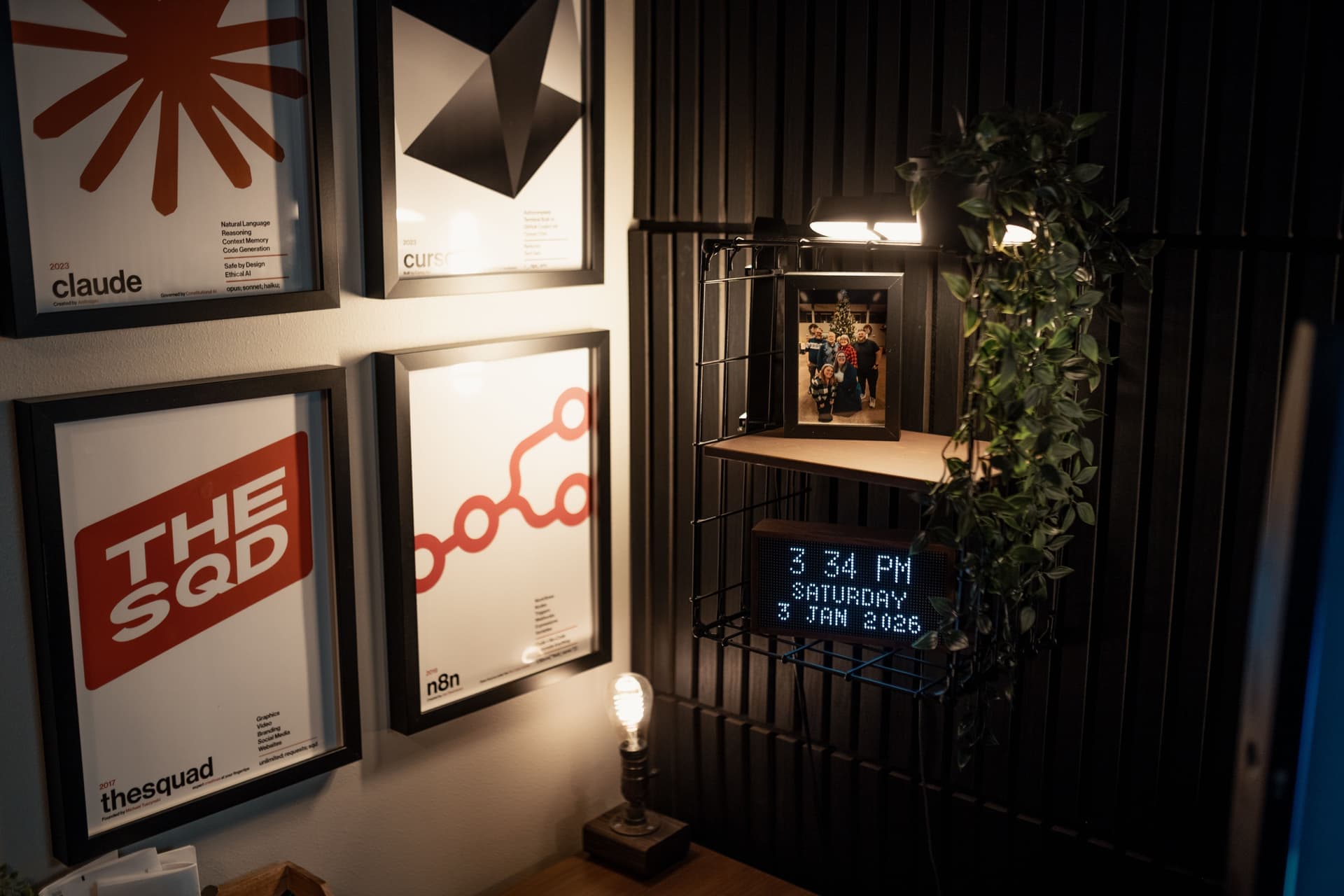
Start by naming the constraint. If the recipient will not install an app, you want a frame with its own email address. If the budget is the problem, 10-inch frames at 1280x800 exist for a third of Aura’s price. If you are buying for a whole family, you want multi-frame management.
Aura is the frame we recommend first on our digital frames roundup, and it is known for three things: senders push photos straight from the Aura app, storage is unlimited, and there is no subscription. An alternative has to beat it on something specific, not in general.
Disclosure: Hang & Hue earns commission from qualifying purchases made through the links on this page, at no extra cost to you. As an Amazon Associate we earn from qualifying purchases. It does not change which products we recommend or the order they appear in — read our editorial policy and full affiliate disclosure.
How these picks were chosen
We select on published specification — rated weight capacity, frame size compatibility, mounting method and materials — plus the durability patterns owners report at volume. We do not test these products ourselves. Read our full method.
Product photographs and prices come from Amazon and are refreshed daily; the date each price was fetched is shown beside it. Scene photographs are licensed stock images. Each link opens the product’s live listing, where the current photos, sizes and price are shown.
Quick picks
Tap any row to jump to the full write-up.
| # | Product | Best for | Price |
|---|---|---|---|
| 1 | 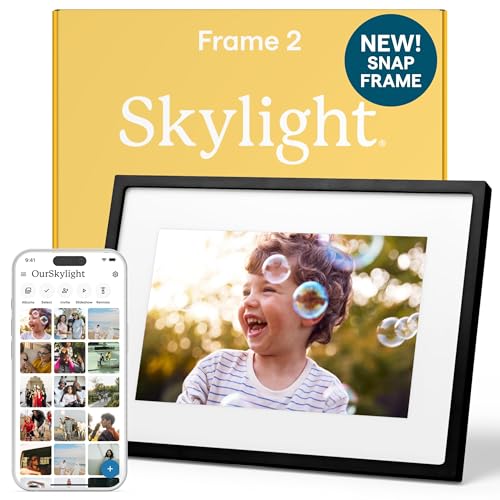 Skylight Frame 2 Digital Picture Frame The one to buy when the senders will not install an app. Each frame gets its own email address, so a relative can send a photograph from any device with no account at all, and the panel is a 1920x1080 anti-glare with 16 GB onboard - sharper than the Carver on paper. | Best alternative overall | |
| 2 | 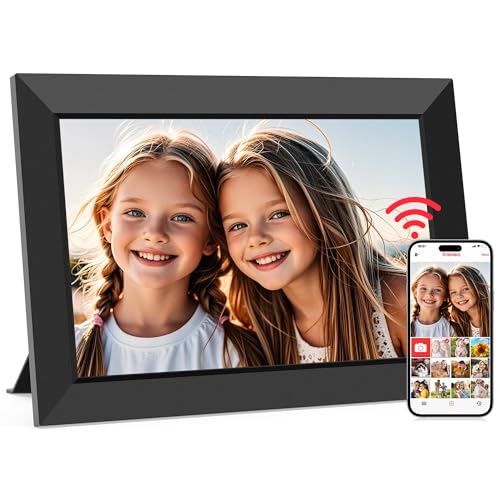 Frameo 10.1 Inch WiFi Digital Picture Frame (32GB) A 10.1-inch 1280x800 IPS touchscreen with 32 GB onboard and the Frameo app for sending photos and video from a phone - the same core experience as a premium frame for a fraction of the money. The onboard storage is what makes it safe: the slideshow keeps working whatever happens to the app. | Best value alternative | |
| 3 | 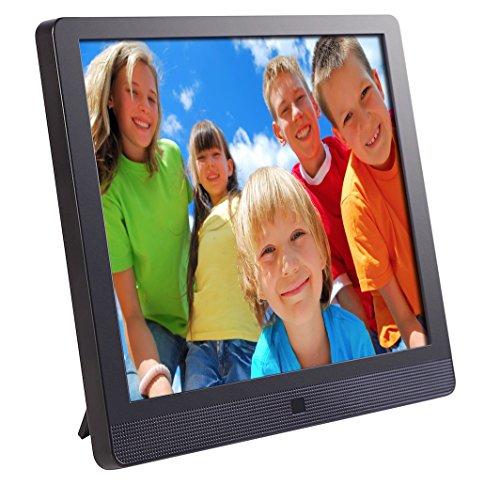 Pix-Star 10 Digital Photo Frame Imports from web albums and controls several frames from one account with no subscription. If you are buying for a whole family - one frame per household, all updated by whoever is willing to do it - this is the only model here that makes that a single job rather than three. | Best for several frames | $193.79 · View on Amazon #ad How we’re funded · Price as of November 24, 2026 |
| 4 | 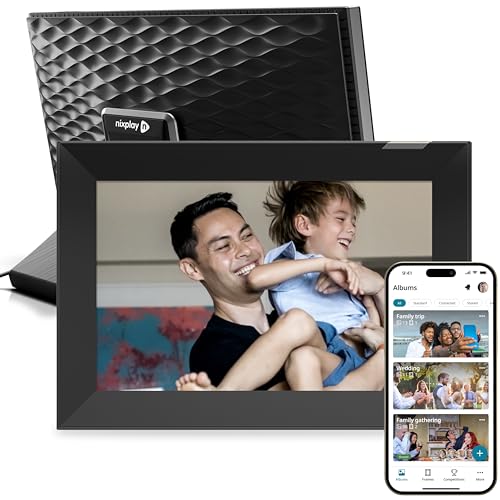 Nixplay Touch-Screen Digital Photo Frame Plays short clips with sound, which most frames at this level do not, and adds playlist scheduling on a 1280x800 16:10 panel. Buy it if the photographs that matter in your family are the ones that move - a first steps clip lands differently than a still. | Best for video | $159.99 · View on Amazon #ad How we’re funded · Price as of November 24, 2026 |
| 5 | 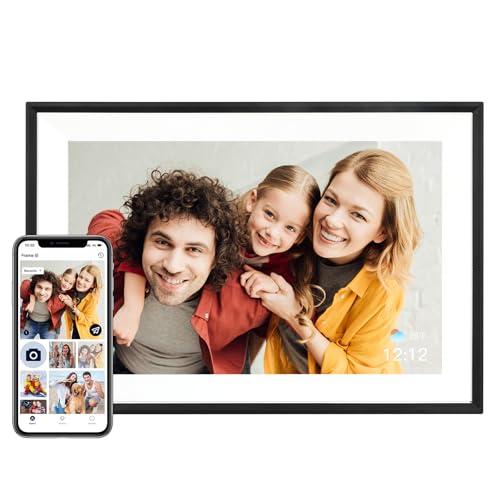 AEEZO 10.1 Inch Digital Picture Frame (32GB) The cheapest honest route to a 10.1-inch 1280x800 IPS touchscreen with 32 GB built in, using the AiMOR app for sending. Nothing about it is premium, but the screen class is the same as frames costing three times more, and that is the specification you look at every day. | Best budget pick | $59.99 · View on Amazon #ad How we’re funded · Price as of November 24, 2026 |
What Aura is known for
Worth stating plainly, because it sets the bar every pick below has to clear. The Carver is a 10-inch frame at 1280x800. Photos arrive through the Aura app - you invite family members and they push images to the frame from their own phones. Storage is unlimited and included, and no feature on the frame sits behind a recurring fee.
That combination is why it is the default recommendation: the no-subscription part matters more over three years than any resolution difference, and the app-invite model is the easiest way to let several relatives contribute to one frame. Nothing below is an argument that Aura is a bad frame. Each one answers a constraint Aura does not.
The three specs that decide which alternative you need
Digital frame listings lead with screen size, which is the least interesting number on the page. These three decide whether the frame gets used.
- How photos get on it. Three models exist: an app that pushes to the frame, a dedicated email address per frame, or loading from an SD card or USB stick. The email route needs nothing installed on the sender’s phone, which is decisive when the frame is a gift for a grandparent and the senders are a scattered family. The card route needs no account at all, which is the only model that still works if the manufacturer’s servers ever go away.
- Whether a subscription is involved, and for what. It varies by feature rather than by brand. Some frames gate video playback, remote settings or extra storage behind a paid plan. A recurring fee outlasts every hardware difference, so read what is gated before you compare screens.
- Storage, and where it lives. Unlimited cloud storage is a service; 16 GB or 32 GB on the frame is a fact. Onboard storage is the more durable answer and the reason budget frames can be used entirely offline.
| Alternative | How photos arrive | Storage | Buy it for |
|---|---|---|---|
| Skylight Frame 2 | Dedicated email address per frame, plus app | 16 GB onboard | A recipient who will not install anything |
| Nixplay | App and email, with playlist scheduling | Cloud-backed playlists | Short video clips with sound |
| Pix-Star 10 | Web album import, multi-frame management | Onboard, no subscription | Buying several frames for one family |
| Frameo 10.1 (32GB) | Frameo app, photos and video from a phone | 32 GB onboard | The app model at well under half the price |
| AEEZO 10.1 (32GB) | AiMOR app, plus local files | 32 GB onboard | The cheapest route to a 1280x800 frame |
If the recipient will not use an app
This is the most common reason an Aura is the wrong gift, and it has nothing to do with the frame’s quality. The app-invite model assumes every sender installs something. In a family where the photographs come from four people of three generations, that assumption fails quietly - the frame shows the same twelve images for a year.
A frame with its own email address inverts the problem. The sender emails a photo to an address like any other, from any device, with no account. The Skylight Frame 2 works this way and is the pick below for exactly that reason. The trade is that some of its remote settings and video features sit behind a paid plan, so check what you need before buying.
One more option that gets overlooked: if the recipient will not use an app and the family will not reliably email either, a digital frame may be the wrong product. A personalized printed frame or a small collage frame you load yourself gets looked at every day with no account, no Wi-Fi and no cable.
If the budget is the problem
The honest news first: the panel is not where the money goes. The budget frames in this list publish 10.1-inch 1280x800 IPS touchscreens, which is the same resolution class as the Carver. What you pay the premium for is the software, the finish and the sharing experience - not pixels.
What you actually give up under sixty dollars:
- The sharing ecosystem. Budget frames run third-party apps - Frameo and AiMOR are the two common ones. They work, and senders can push photos and short videos from a phone, but the invite flow is clunkier and the app is not the product the company sells.
- The physical design. Plastic rather than a considered frame profile, and a chunkier bezel. On a bookshelf among real frames this is more visible than any spec.
- Long-term service confidence. A frame tied to a small manufacturer’s app is a frame whose sharing may stop working one day. The mitigation is onboard storage: 32 GB and an SD slot mean the frame still shows your photos as a local slideshow even if the service stops.
- Unlimited cloud storage. You get a fixed 16 GB or 32 GB instead. For the way most people use a frame - a few hundred photos on rotation - 32 GB is not a real constraint.
If you need video, or several frames at once
Two narrower constraints, each with one obvious answer.
Video with sound. Most frames at this level either ignore video or play it silently. Nixplay plays short clips with sound and adds playlist scheduling, which is the feature set to buy if the photos you care about are the ones that move. If you only ever show stills, you are paying for a capability you will not use.
Several frames, one family. Buying three frames for three households turns the sending model into an administration problem. Pix-Star imports from web albums and manages several frames from one account with no subscription - you load once and all the frames update. That is a different job from the one Aura is designed around, and it is the reason this pick exists.
For a single frame in a single room, both of these are the wrong buy: they solve problems you do not have, and they cost more than the budget picks that do the same core job.
Where a digital frame actually goes
A practical point that decides more returns than any spec: nearly every digital frame needs mains power. Wall-mounting one means a visible cable unless there is an outlet directly behind it, so the honest placement is a shelf, a sideboard or a desk.
A picture ledge solves this well - the frame sits on the ledge, the cable runs down the wall behind the shelf, and the ledge itself needs two screws instead of a mount. And one digital frame beside a group of ordinary frames looks far better than a wall of screens: matching versus mixed frames covers how to make the odd one out look intentional.
If the frame is a gift and you want it to arrive working rather than as a project, set it up on your own Wi-Fi first, load thirty photographs, and send it on. Every frame here supports that, and it is the difference between a gift that gets used and one that stays in the box.
The same exercise for the other well-known name is Skylight frame alternatives, and digital picture frames under $200 compares the whole bracket on what you pay after the purchase rather than at it.
The picks in full
Each entry states what it is for, the specification that decides it, and who should skip it.
1. Best alternative overall
Skylight Frame 2 Digital Picture Frame
Skylight
The one to buy when the senders will not install an app. Each frame gets its own email address, so a relative can send a photograph from any device with no account at all, and the panel is a 1920x1080 anti-glare with 16 GB onboard - sharper than the Carver on paper.
- Display
- 1920 x 1080 anti-glare panel
- Storage
- 16 GB on board
- Sharing
- Email address per frame — no app needed to send
- Subscription
- Optional paid plan for remote settings and video
The spec that decides it: Per-frame email address for sending; 1920x1080 anti-glare panel; 16 GB onboard storage.
Skip it if: You want remote settings and video without a recurring fee - those sit behind a paid plan here, which is the trade for the email convenience.
2. Best value alternative
Frameo 10.1 Inch WiFi Digital Picture Frame (32GB)
Frameo
A 10.1-inch 1280x800 IPS touchscreen with 32 GB onboard and the Frameo app for sending photos and video from a phone - the same core experience as a premium frame for a fraction of the money. The onboard storage is what makes it safe: the slideshow keeps working whatever happens to the app.
- Screen
- 10.1 in, 1280x800 HD IPS touch
- Storage
- 32 GB
- Sending
- Frameo app, photos and video from a phone
- Placement
- Tabletop or wall
The spec that decides it: 10.1 in 1280x800 HD IPS touch; 32 GB storage; Frameo app sending; tabletop or wall.
Skip it if: The frame is a gift for someone who needs hand-holding. The Frameo invite flow is workable but it is not as smooth as the premium apps.
3. Best for several frames
Pix-Star 10 Digital Photo Frame
Pix-Star
Imports from web albums and controls several frames from one account with no subscription. If you are buying for a whole family - one frame per household, all updated by whoever is willing to do it - this is the only model here that makes that a single job rather than three.
- Display
- 10 in class
- Sharing
- Email and web album import from cloud services
- Subscription
- None
- Multi-frame
- Controls several frames from one account
The spec that decides it: Web album import; multi-frame management from one account; no subscription required.
Skip it if: You are buying one frame for one room. The multi-frame management is the thing you are paying for and you will not touch it.
#ad How we’re funded · Price as of November 24, 2026
4. Best for video
Nixplay Touch-Screen Digital Photo Frame
Nixplay
Plays short clips with sound, which most frames at this level do not, and adds playlist scheduling on a 1280x800 16:10 panel. Buy it if the photographs that matter in your family are the ones that move - a first steps clip lands differently than a still.
- Display
- 1280 x 800, 16:10
- Video
- Plays short clips with sound
- Sharing
- App and email; playlist scheduling
- Control
- Touch screen plus app
The spec that decides it: Video playback with sound; app and email sending; playlist scheduling.
Skip it if: You only ever show stills, in which case a cheaper frame does the identical job.
#ad How we’re funded · Price as of November 24, 2026
5. Best budget pick
AEEZO 10.1 Inch Digital Picture Frame (32GB)
AEEZO
The cheapest honest route to a 10.1-inch 1280x800 IPS touchscreen with 32 GB built in, using the AiMOR app for sending. Nothing about it is premium, but the screen class is the same as frames costing three times more, and that is the specification you look at every day.
- Screen
- 10.1 in, 1280x800 IPS touch
- Storage
- 32 GB built in
- Sending
- AiMOR app
- Features
- Auto-rotate
The spec that decides it: 10.1 in 1280x800 HD IPS touch; 32 GB built-in memory; AiMOR app setup; auto-rotate.
Skip it if: You want the frame to look like furniture. The case is plastic and the bezel is chunky next to a premium frame on the same shelf.
#ad How we’re funded · Price as of November 24, 2026
Common questions
Does the Aura frame require a subscription?
No. Aura includes unlimited storage with no recurring fee, which is a large part of why it is the default recommendation. Subscriptions are worth checking on the alternatives instead - several frames in this category gate video playback, remote settings or extra storage behind a paid plan, and that cost outlasts any hardware difference.
What is the best cheap alternative to an Aura frame?
A 10.1-inch frame at 1280x800 with 32 GB onboard storage and a third-party sending app, which lands at roughly a third of the price. The panel class is the same; what you give up is the sharing ecosystem, the physical design and the confidence that the app will still exist in five years. Onboard storage is the mitigation for that last point.
Which digital frame is best for grandparents?
One with its own email address rather than an app-only sending model, so relatives can send a photograph from any device without installing or signing up for anything. Set it up on your own Wi-Fi and load thirty photos before you give it - a frame that arrives already working is a frame that gets used.
Is Aura or Skylight better?
They answer different questions. Aura is better if everyone sending photos will use the app, because the invite flow is the smoothest in the category and nothing is gated behind a fee. Skylight is better if the senders will not install anything, because every frame gets its own email address - but check which of its remote and video features need the paid plan first.
Can you use a digital picture frame without Wi-Fi or an app?
Yes, if you buy one with onboard storage and an SD or USB input - the frame then runs as a local slideshow with no account involved. Budget frames with 16 GB or 32 GB built in generally support this, which is also what protects you if a manufacturer's sharing service is ever retired.
What resolution should a digital frame have?
1280x800 is the sensible floor and what most mainstream 10-inch frames use, including the premium ones. 1920x1080 is noticeably sharper if you sit close. Below roughly 1024x600 the pixel grid becomes visible at normal viewing distance, which is the specification to avoid rather than the one to chase.
Do digital frames handle vertical phone photos?
Not perfectly. Phones shoot 4:3 or 3:4 and most frames are 16:10 or 16:9, so a vertical photo either shows with bars down each side or gets cropped. Some frames pair two verticals side by side to fill the screen - check how the one you are buying handles it, because most family photos are vertical.
Sources for the figures on this page
Read next
- Best Digital Picture Frames
Resolution, sharing method and subscription model compared — the three specs that decide a digital frame.
- Best Personalized Picture Frames
Engraved wood, metal and leatherette frames compared by occasion, text field and material, with the ordering checks that stop a custom gift arriving wrong and unreturnable.
- Best Gifts for Photo Lovers
Frames and digital frames chosen for giftability — safe sizes, what to check first, and what the recipient has to supply.
- Best Picture Ledges
Ledges compared on length, lip depth and mounting — the two-screw alternative to hanging a whole gallery wall.
- Best Collage Picture Frames
Multi-opening frames compared on opening count, mat quality, glazing weight and hanging hardware.
- Best Picture Frames for Family Photos
Mixed-size frame sets, multi-opening layouts and acid-free matting — the three things that make a wall of family photographs read as one arrangement.