Best Digital Picture Frames
Screen resolution matters less than how photos reach the frame — and whether that costs money every year.
By Janet H. · Published
Check the subscription before the screen. Several digital frames require a paid plan for features that sound standard — remote settings, video playback, additional storage. That recurring cost outweighs any resolution difference within a couple of years.
Second question: how do photos actually get on it? An email address per frame is easier for a relative who does not install apps. An app is better if you are the one loading it and want playlists.
Disclosure: Hang & Hue earns commission from qualifying purchases made through the links on this page, at no extra cost to you. As an Amazon Associate we earn from qualifying purchases. It does not change which products we recommend or the order they appear in — read our editorial policy and full affiliate disclosure.
How these picks were chosen
We select on published specification — rated weight capacity, frame size compatibility, mounting method and materials — plus the durability patterns owners report at volume. We do not test these products ourselves. Read our full method.
Photographs on this page are licensed category images, not photographs of the individual products. Each link opens the product’s live listing, where the current photos, sizes and price are shown.
Quick picks
Tap any row to jump to the full write-up.
| # | Product | Best for | Price |
|---|---|---|---|
| 1 |  Aura Carver Digital Picture Frame 10.1 inch 1280x800 display with unlimited storage and no subscription, and senders push photos straight to the frame from the app. | Best overall | |
| 2 | Skylight Frame 2 Digital Picture Frame Each frame has its own email address, so anyone can send a photo without installing anything. 1920x1080 anti-glare panel and 16 GB onboard. | Best for non-technical recipients | |
| 3 | Nixplay Touch-Screen Digital Photo Frame Plays short clips with sound, which most frames at this level do not, and adds playlist scheduling on a 1280x800 16:10 panel. | Best for video | |
| 4 | Pix-Star 10 Digital Photo Frame Imports from web albums and controls several frames from one account with no subscription — the option when you are buying for a whole family. | Best for multiple frames |
The three specs that decide it
| Spec | What to look for | Why it matters |
|---|---|---|
| Subscription model | Whether a plan is needed for video, remote settings or storage | A recurring fee outlasts every hardware difference. Check what is gated before buying |
| How photos arrive | App invite, per-frame email address, or cloud album import | An email address needs no app on the sender's phone — decisive if it is a gift for a relative |
| Resolution | 1280x800 as a floor; 1920x1080 is sharper | Below roughly 1024x600 the pixel grid is visible at normal viewing distance |
The aspect-ratio problem nobody mentions
Phones shoot at 4:3 or 3:4. Most digital frames are 16:10 or 16:9. A vertical phone photo on a landscape 16:10 frame either shows with wide bars down each side or gets cropped.
There is no product that solves this, only mitigations: some frames pair two vertical photos side by side to fill the screen, and most let you choose between fit and fill. If most of your photos are vertical portraits of people, check how the frame handles them before you buy.
Where a digital frame goes
Almost always a shelf, a sideboard or a desk — not a wall. Most need mains power, so wall-mounting means a visible cable unless there is an outlet behind it.
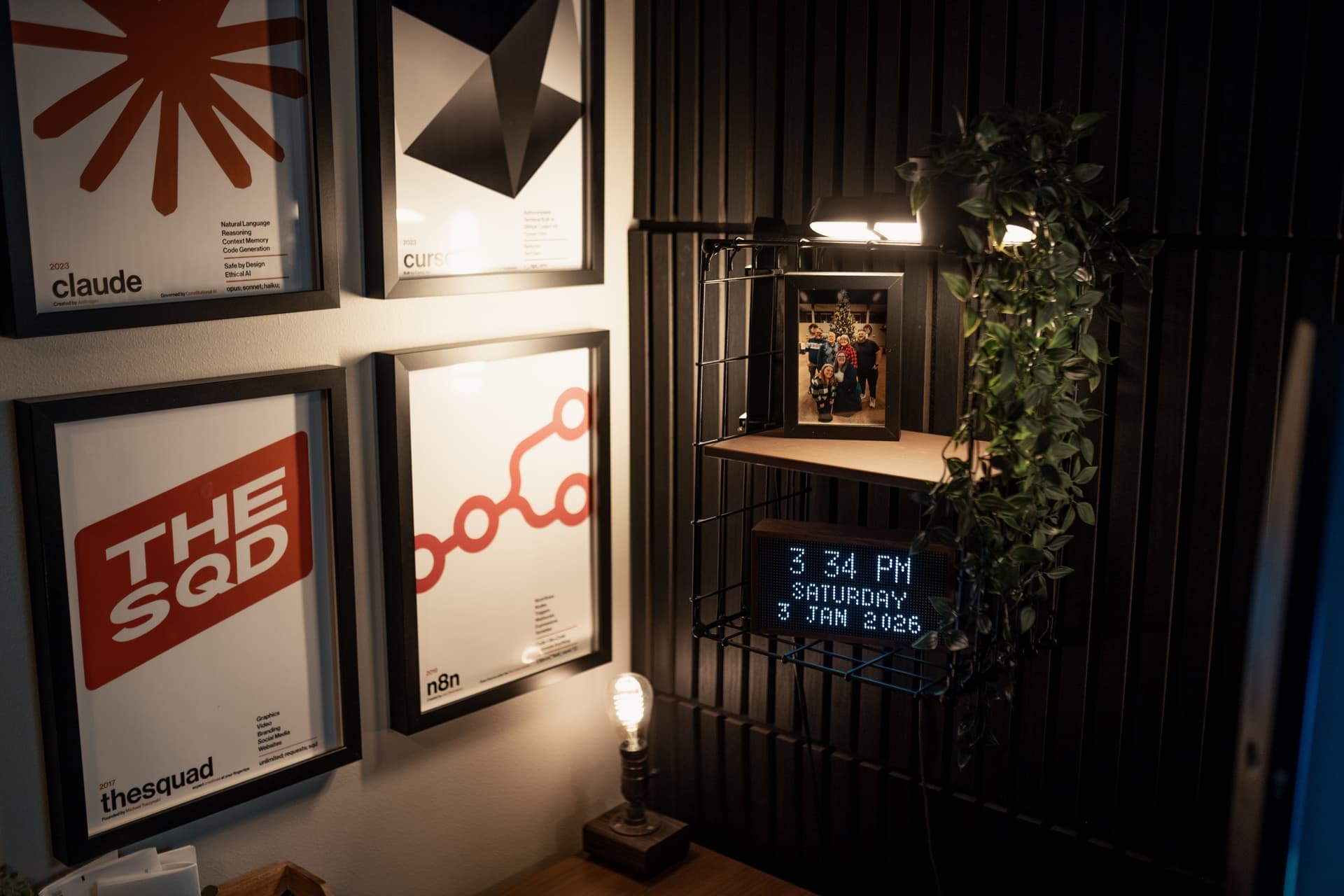
One digital frame beside a group of ordinary frames works well: the changing image reads as the live element in a still arrangement. A wall of digital frames does not — it reads as a display, not as decoration.
The question to ask before buying
A digital frame depends on a company continuing to run a service. If that company stops, the frame may stop receiving photos — which is a failure mode no wooden frame has.
Two mitigations worth weighting: frames with onboard storage keep working with what is already on them, and frames that accept an SD card or USB stick keep working entirely offline. Neither is glamorous and both are worth more than a resolution upgrade.
The picks in full
Each entry states what it is for, the specification that decides it, and who should skip it.
1. Best overall
Aura Carver Digital Picture Frame
Aura
10.1 inch 1280x800 display with unlimited storage and no subscription, and senders push photos straight to the frame from the app.
- Display
- 10.1 in, 1280 x 800
- Subscription
- None — unlimited storage included
- Sharing
- App invites; senders push photos straight to the frame
- Video
- Plays short video clips
The spec that decides it: No subscription required; unlimited storage included.
Skip it if: The recipient will not use an app — an email-based frame is the better gift.
2. Best for non-technical recipients
Skylight Frame 2 Digital Picture Frame
Skylight
Each frame has its own email address, so anyone can send a photo without installing anything. 1920x1080 anti-glare panel and 16 GB onboard.
- Display
- 1920 x 1080 anti-glare panel
- Storage
- 16 GB on board
- Sharing
- Email address per frame — no app needed to send
- Subscription
- Optional paid plan for remote settings and video
The spec that decides it: Per-frame email address for sending; 1920x1080 anti-glare with 16 GB storage.
Skip it if: You want remote settings and video without a recurring fee — those sit behind a paid plan here.
3. Best for video
Nixplay Touch-Screen Digital Photo Frame
Nixplay
Plays short clips with sound, which most frames at this level do not, and adds playlist scheduling on a 1280x800 16:10 panel.
- Display
- 1280 x 800, 16:10
- Video
- Plays short clips with sound
- Sharing
- App and email; playlist scheduling
- Control
- Touch screen plus app
The spec that decides it: Video playback with sound, plus app and email sending and playlist scheduling.
Skip it if: You only ever show stills — you are paying for a capability you will not use.
4. Best for multiple frames
Pix-Star 10 Digital Photo Frame
Pix-Star
Imports from web albums and controls several frames from one account with no subscription — the option when you are buying for a whole family.
- Display
- 10 in class
- Sharing
- Email and web album import from cloud services
- Subscription
- None
- Multi-frame
- Controls several frames from one account
The spec that decides it: Web album import and multi-frame management from one account, no subscription.
Skip it if: You are buying one frame for one room — the multi-frame management is wasted.
Common questions
Do digital picture frames require a subscription?
Some do and some do not, and it varies by feature rather than by frame. Several gate video playback, remote settings or additional storage behind a paid plan. Check what is included before buying — a recurring fee outweighs any hardware difference within a couple of years.
What resolution should a digital picture frame have?
1280x800 is the sensible floor and what most mainstream frames use; 1920x1080 is noticeably sharper. Below roughly 1024x600 the pixel grid becomes visible at normal viewing distance.
How do you send photos to a digital picture frame?
Three ways: an app that pushes to the frame, a dedicated email address per frame, or importing from a cloud photo album. The email route is the one to choose if the recipient will not install an app.
Do vertical phone photos work on a digital frame?
Not perfectly. Phones shoot 4:3 or 3:4 and most frames are 16:10 or 16:9, so a vertical photo either shows with bars down each side or gets cropped. Some frames pair two vertical photos side by side to fill the screen — check how yours handles it.
Can you hang a digital picture frame on a wall?
Most can be wall-mounted, but nearly all need mains power, so you get a visible cable unless there is an outlet directly behind. A shelf or sideboard is the usual placement, and one digital frame beside a group of ordinary ones works better than a wall of them.
Sources for the figures on this page
Read next
- Best Picture Frames
Frame lines compared on glazing, mat quality, size range and depth — plus what genuinely changes with price.
- Picture Frame Sizes Chart
Every standard frame size with its unmatted and matted capacity — the table to check before you order anything.
- Best Picture Ledges
Ledges compared on length, lip depth and mounting — the two-screw alternative to hanging a whole gallery wall.
- Wall Art for the Home Office
What reads well behind you on camera, desk-scale sizing, and the glare problem nobody plans for.
- Best Matted Frames
Matted frames compared on border width, acid-free board and the step-down sizes each line covers.
- Wall Art for the Living Room
Sizing by sofa width, the formats that work above a sofa, and picks that hang without drilling.